Crafter Station · WhatsApp
Tag it.
It answers.
A bot that earns its place in the group chat. It searches when being wrong would matter, remembers what you tell it to, makes the sticker, keeps the list — and posts a digest of everything you missed.
running at wspbot.crafter.run
What it does
Everything, switchable, one at a time.
Each of these is a switch on the dashboard. Turning one off takes its tools away from the model and the instructions with them, so the bot says the thing is off rather than offering to do it.
Answers when tagged
In groups only, when @-mentioned or when you reply to one of its messages. Direct chats are ignored, and so is everything else.
Knows what it is
Ask how it works, what it runs on, or who built it, and it answers from fact.
Reconnects itself
Watches its own WhatsApp session and brings it back when it drops, so a restart underneath it goes unnoticed.
Follows what you point at
Reply to any message and tag it, and it reads what you replied to — the text, and the picture if there is one. “What does this mean?” works.
Reacts with emoji
Weighs up whether each message deserves a reaction, and picks one that fits, rather than defaulting to a thumbs-up.
Searches the web
For anything current or specific enough that being wrong would matter — not for things it already knows.
Schedules reminders
“Remind me at 9”, or “every morning, check if it will rain and tell me”. One per person per chat; change or cancel it any time.
Keeps a checklist
Each chat has its own pending list. Add items, tick them off, take them back off the list — in whatever words you use for it.
Remembers
“Record that…” keeps a fact for the chat; some facts can be saved for every chat. Both survive restarts, and “forget that” removes them.
Sends files
Images, video, PDFs and other documents, found by searching or from a link you give it.
Speaks
Generates a voice note when something is easier to hear than to read, or when you ask it to read something out.
Runs polls
Puts a WhatsApp poll in the chat, two to twelve options, single or multiple choice.
Collects stickers
Every sticker sent in any chat it is in is kept, silently and without replying. One shared library, described automatically so it can be found later.
Sends stickers
Picks one out of the shared library when a sticker answers better than words do.
Makes stickers
Tag it with an image, GIF or short video, or give it a GIF link. Animation is preserved.
Draws stickers
Ask for a sticker of something that does not exist and it draws one, on a transparent background.
Names stickers
Tell it what one should be called and it can be asked for by that name afterwards.
Reads and writes spreadsheets
Share a Google Sheets link and ask what is missing, or have it fill something in. Reading a public sheet needs no setup.
Connects to Notion
Ask it to connect and it sends a link. You choose which pages it may reach; after that it can search, read, write, work with databases and leave comments.
Summarises a group on a schedule
Reads one group and posts a digest into another on a cron — decisions, open questions, links and pictures. The source group is recorded in full while this is on, including messages that do not tag the bot; nothing else is, and it is kept for a fortnight.
Knows who chipped in
Somebody asks who supports this bot and it reads out the list — names and how they helped, never amounts. The list is kept on the dashboard.
Draws its own HTML
Anything it can lay out in HTML — a table, a card, a summary with real formatting — it can render and send as a picture, since WhatsApp shows none of that as text. Rendered with no network access at all, so nothing the page references can be fetched.
Works with GitHub
Looks up repositories and issues, and — where it has been given permission — opens issues, comments on them, creates repositories and publishes them as websites with GitHub Pages, as the bot's own GitHub account. Reading is open; every write needs its own switch, only lands on repositories named on the dashboard, and is recorded with who asked for it. It can also be limited to particular groups.
Chimes in on its own
In groups set up for it, it reads along and occasionally says something without being tagged — the way somebody in the room would. Enabling a group records it, the same as a summary schedule does. How often, how much has to have been said first, quiet hours and a daily cap are all set per group.
Takes a picture of a web page
Give it a link and it opens the page in a real browser and sends back a screenshot — the top of it, or the whole thing. It never opens an address inside the private network, and it carries none of the bot's own logins.
Follows a vote leaderboard
Knows where one project stands in a public vote count and what it would take to move up a place — the exact gap, not an estimate. Anyone in the chat can ask; a group can also be set up on the dashboard to be told when the standing changes.
Takes votes on what to build next
Anyone can ask what is being built; supporters can back items and suggest new ones. A vote is weighted by how much somebody has chipped in, capped so nobody can own the list, and a suggestion waits for approval before it becomes votable. Voting ranks things — it never switches a feature on.
Reports its usage
Tokens and estimated spend for today, the last week and all time.
Plays group games
¿Quién dijo esto? pulls a real line from this chat's own recorded history and the group guesses who said it — it needs 'summaries' or 'chime' already recording the group, or there is nothing to draw from. Palabra/reto del día posts a word or a daily challenge, on request or automatically once a day for chime-enabled groups. Ahorcado (hangman) and adivinanzas (riddles) are classic guessing rounds, one active game per type per chat, kept in Postgres so a restart never loses progress.
How it works
Three steps, then it is somebody else's problem.
Add it to a group
It sits there quietly. No tag, no reply — a bot that answers everything is a bot people mute.
Tag it
Ask in plain language, in your language. Reply to a message and tag it, and it reads what you pointed at — the picture included.
It gets on with it
Searching, remembering, drawing a sticker, setting a reminder, writing the digest. You configure what it may do from the dashboard.
Open source
Both halves are yours to read.
Run your own, take a piece, or send a change. A star is the only thing either project asks for.
- Jibaru/wspbotThis bot. The webhook, the turn, every tool, the dashboard and the checks that keep it honest.
- crafter-station/wapiWhatsApp over plain HTTP, self-hosted. Meta's Cloud API only covers business messaging, so reaching an ordinary group chat means driving a real WhatsApp client — which is what this does, behind a stable REST interface.
Or help with the bill.
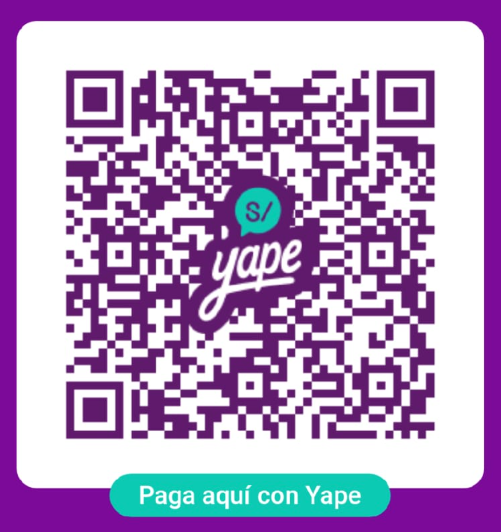
Every answer is a Gemini call and the whole thing sits on a VPS somebody pays for. If you would like to chip in towards the credits: the code is Jibaru's personal Yape, and there is a coffee link for everywhere Yape does not reach. Entirely optional, and code is just as welcome as money.
Buy me a coffee